Geitost
Geitost

EmEditor uses JavaScript or VBScript for its macro language, so those who are familiar with HTML or Windows scripting will be able to write macros with little difficulty. For those unfamiliar with scripting languages, EmEditor can record keystrokes, which can then be saved in a macro file that can easily be loaded in different situations. With the use of JavaScript or VBScript, you can also troubleshoot your code easily. For example, in JavaScript, you can use the following statement to troubleshoot errors

Raclette Courdavault

EmEditor uses JavaScript or VBScript for its macro language, so those who are familiar with HTML or Windows scripting will be able to write macros with little difficulty. For those unfamiliar with scripting languages, EmEditor can record keystrokes, which can then be saved in a macro file that can easily be loaded in different situations. With the use of JavaScript or VBScript, you can also troubleshoot your code easily. For example, in JavaScript, you can use the following statement to troubleshoot errors

Gudbrandsdalsost
Gudbrandsdalsost

EmEditor uses JavaScript or VBScript for its macro language, so those who are familiar with HTML or Windows scripting will be able to write macros with little difficulty. For those unfamiliar with scripting languages, EmEditor can record keystrokes, which can then be saved in a macro file that can easily be loaded in different situations. With the use of JavaScript or VBScript, you can also troubleshoot your code easily. For example, in JavaScript, you can use the following statement to troubleshoot errors

Flotemysost
Flotemysost

EmEditor uses JavaScript or VBScript for its macro language, so those who are familiar with HTML or Windows scripting will be able to write macros with little difficulty. For those unfamiliar with scripting languages, EmEditor can record keystrokes, which can then be saved in a macro file that can easily be loaded in different situations. With the use of JavaScript or VBScript, you can also troubleshoot your code easily. For example, in JavaScript, you can use the following statement to troubleshoot errors
Mozzarella di Giovanni

EmEditor uses JavaScript or VBScript for its macro language, so those who are familiar with HTML or Windows scripting will be able to write macros with little difficulty. For those unfamiliar with scripting languages, EmEditor can record keystrokes, which can then be saved in a macro file that can easily be loaded in different situations. With the use of JavaScript or VBScript, you can also troubleshoot your code easily. For example, in JavaScript, you can use the following statement to troubleshoot errors
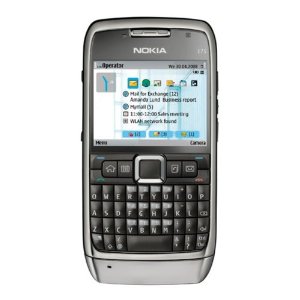
Camembert Pierrot
Camembert Pierrot

EmEditor uses JavaScript or VBScript for its macro language, so those who are familiar with HTML or Windows scripting will be able to write macros with little difficulty. For those unfamiliar with scripting languages, EmEditor can record keystrokes, which can then be saved in a macro file that can easily be loaded in different situations. With the use of JavaScript or VBScript, you can also troubleshoot your code easily. For example, in JavaScript, you can use the following statement to troubleshoot errors
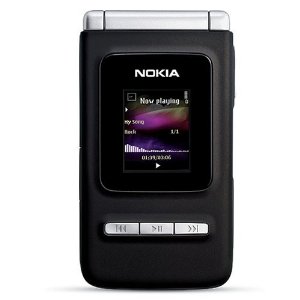
Queso Cabrales
Queso Cabrales

EmEditor uses JavaScript or VBScript for its macro language, so those who are familiar with HTML or Windows scripting will be able to write macros with little difficulty. For those unfamiliar with scripting languages, EmEditor can record keystrokes, which can then be saved in a macro file that can easily be loaded in different situations. With the use of JavaScript or VBScript, you can also troubleshoot your code easily. For example, in JavaScript, you can use the following statement to troubleshoot errors

Queso Manchego La Pastora

EmEditor uses JavaScript or VBScript for its macro language, so those who are familiar with HTML or Windows scripting will be able to write macros with little difficulty. For those unfamiliar with scripting languages, EmEditor can record keystrokes, which can then be saved in a macro file that can easily be loaded in different situations. With the use of JavaScript or VBScript, you can also troubleshoot your code easily. For example, in JavaScript, you can use the following statement to troubleshoot errors
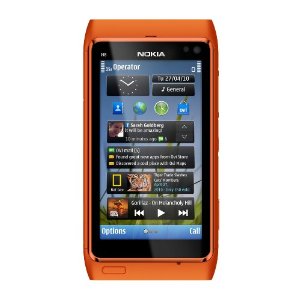
Gorgonzola Telino
Gorgonzola Telino

EmEditor uses JavaScript or VBScript for its macro language, so those who are familiar with HTML or Windows scripting will be able to write macros with little difficulty. For those unfamiliar with scripting languages, EmEditor can record keystrokes, which can then be saved in a macro file that can easily be loaded in different situations. With the use of JavaScript or VBScript, you can also troubleshoot your code easily. For example, in JavaScript, you can use the following statement to troubleshoot errors

Mascarpone Fabioli
Mascarpone Fabioli

EmEditor uses JavaScript or VBScript for its macro language, so those who are familiar with HTML or Windows scripting will be able to write macros with little difficulty. For those unfamiliar with scripting languages, EmEditor can record keystrokes, which can then be saved in a macro file that can easily be loaded in different situations. With the use of JavaScript or VBScript, you can also troubleshoot your code easily. For example, in JavaScript, you can use the following statement to troubleshoot errors

Web hosting by Somee.com